In some cases Nimbus will require you to invite Guest Accounts to support extended features on your Tenant. We realize that not using MFA for presence accounts is a big limitation. If your IT policy mandates MFA on all accounts, there is a workaround that whitelists IP ranges. To circumvent this problem you can use the following workaround:
- Add trusted Locations with the Nimbus Server IP Addresses (Switzerland)
- Add a conditional access policy to limit the access to the given trusted location.
Learn more…
Add Trusted Location
- Go to Named locations within Azure Portal (https://portal.azure.com)
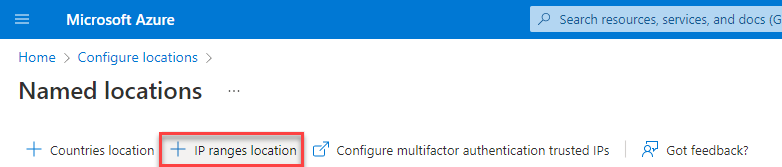
- Add a new IP ranges location
- Enter a Name and add the IP addresses for the location and check the Mark as trusted location option
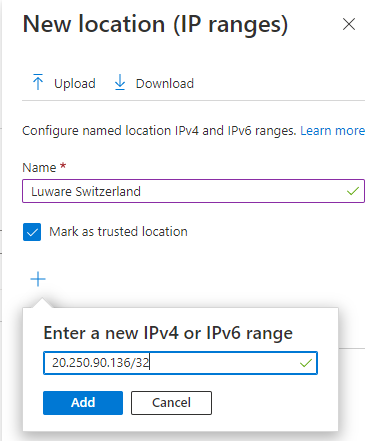
- Add all IP addresses for the location (see table below)
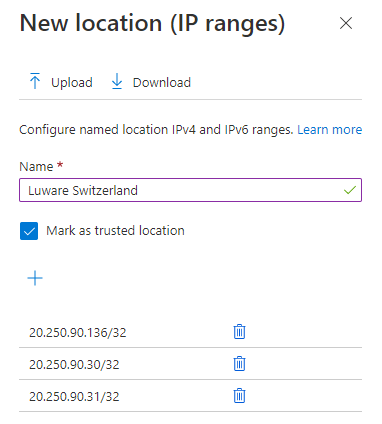
and click on Create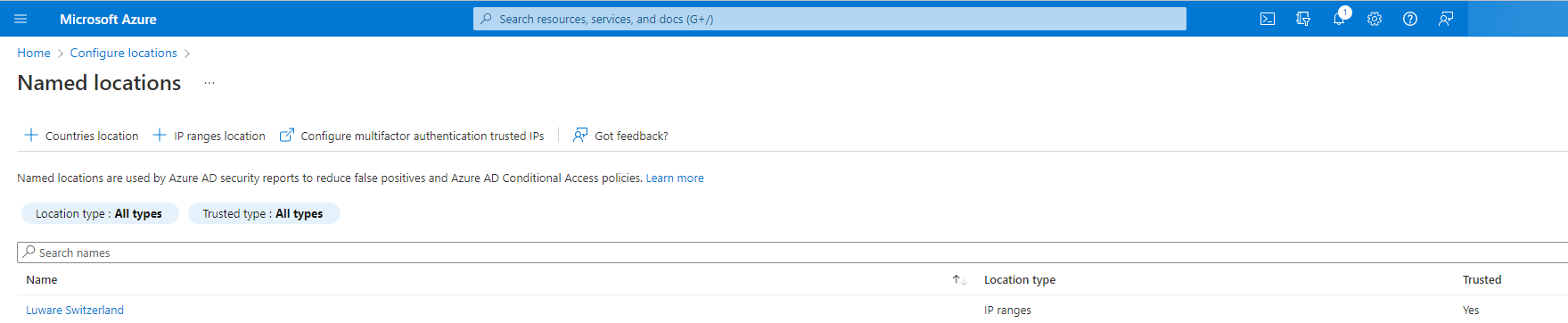
Add a conditional access policy
- Go to the Azure portal (https://portal.azure.com)
- Switch to Conditional Access and select Policies
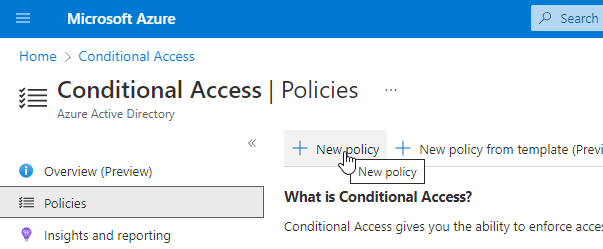
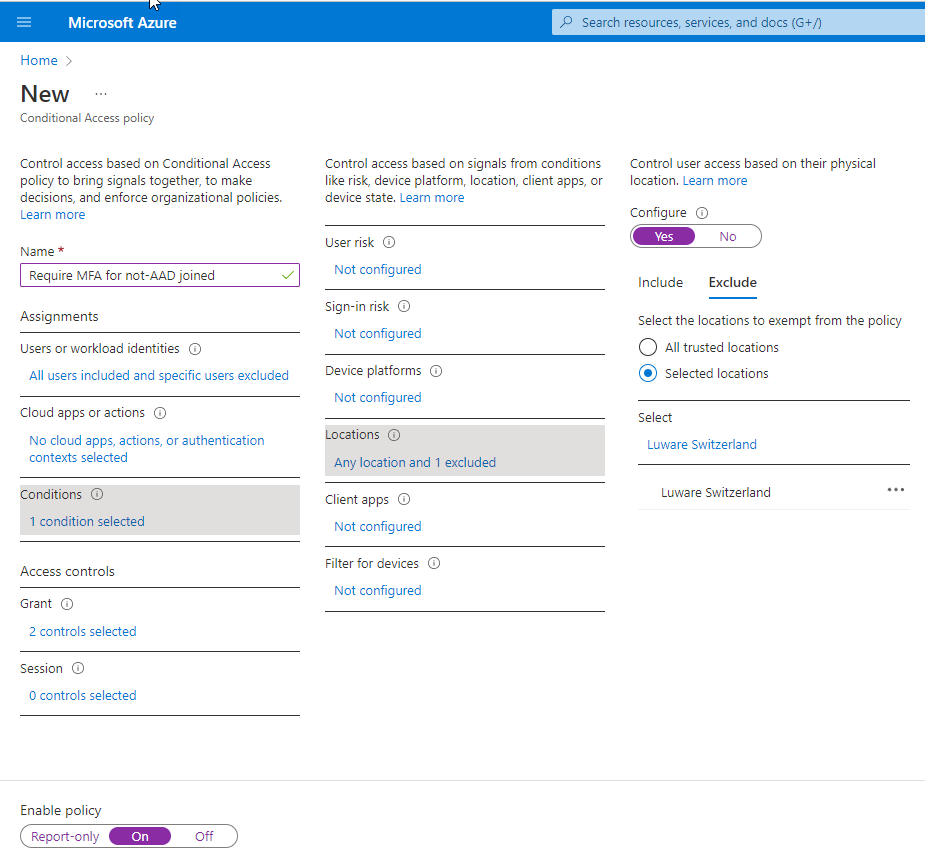
- Select an existing you want to change or create a new policy and configure the Condition section to add your trusted location as excluded from the MFA policy
| Switzerland North 01 |
Cluster Egress Streaming Bot |
|---|---|
| Switzerland North 02 |
Cluster Egress Streaming Bot |
| Germany West Central 01 |
Cluster Egress Streaming Bot |
| Germany West Central 02 |
Cluster Egress Streaming Bot |
| United Kingdom South 01 |
Cluster Egress Streaming Bot |
| Australia East 01 |
Cluster Egress Streaming Bot |
| West Europe 01 |
Cluster Egress Streaming Bot |
| East United States 01 |
Cluster Egress Streaming Bot |
☝Caution: These IPs are configured by Microsoft and can be changed without prior notice.