How to create a Security Group in Azure
Create New Security Group
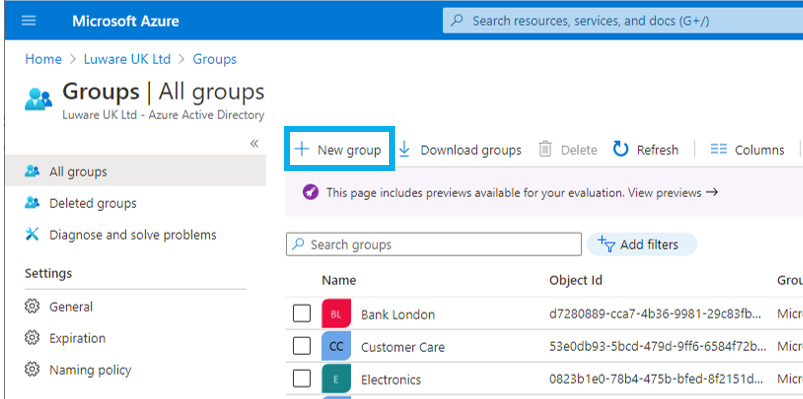
- Log into Azure Portal, go to "Groups" > "All Groups"
- Click on "New Group " → A dialog will open
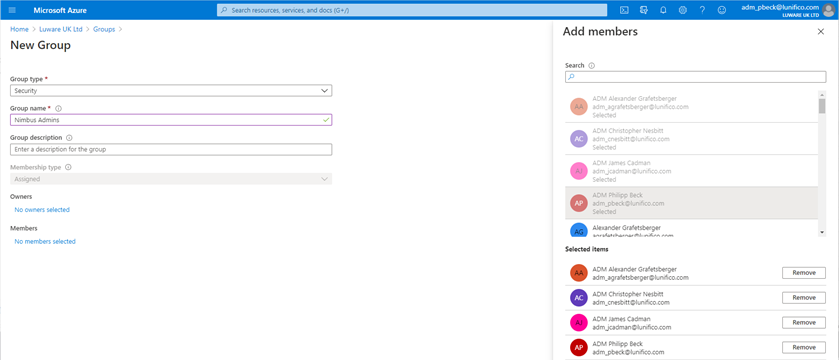
Define Group Details
- Ensure the Group type is set to "Security"
- Name the group as you like to make the identification for you easier
- Add members to the group as needed
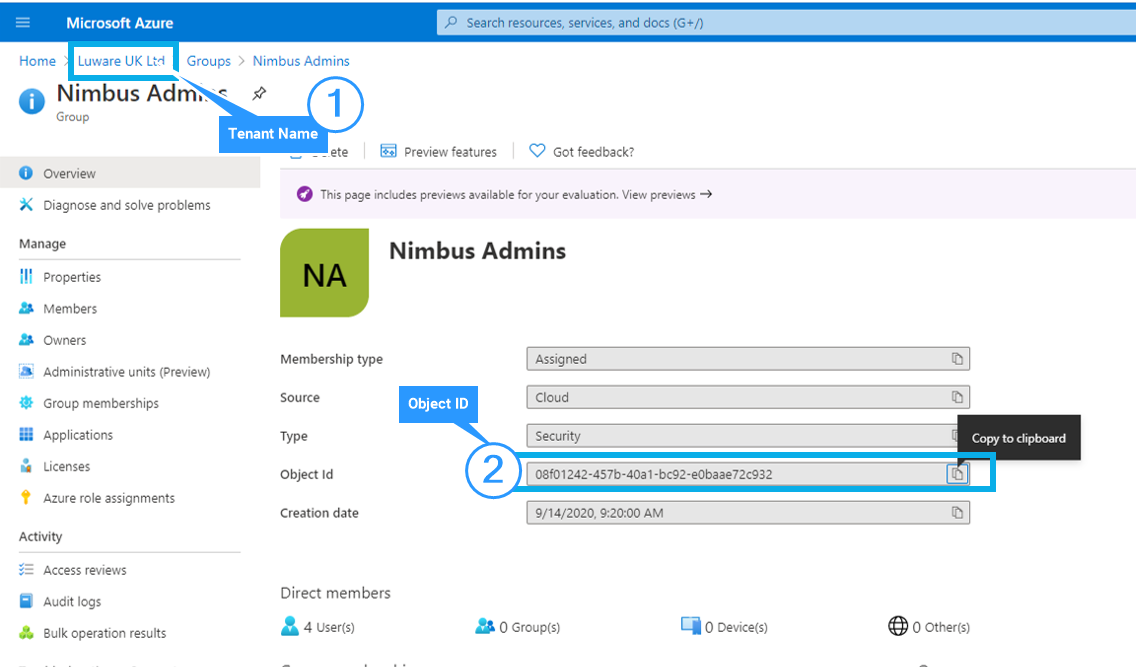
Tenant Name and Object ID
- Once your group is created, go access it's "Overview" details
- Copy the Object ID into an E-Mail
- Send your Mail to your Customer Success Specialist
- When you receive the Go from us, sign in at https://admin.luware.cloud with any account from the created security group